Mouse Image Trail
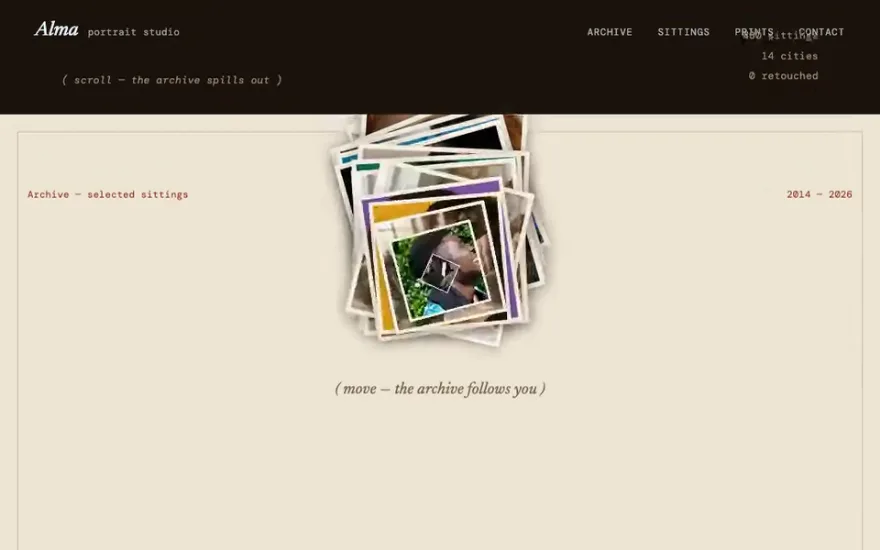
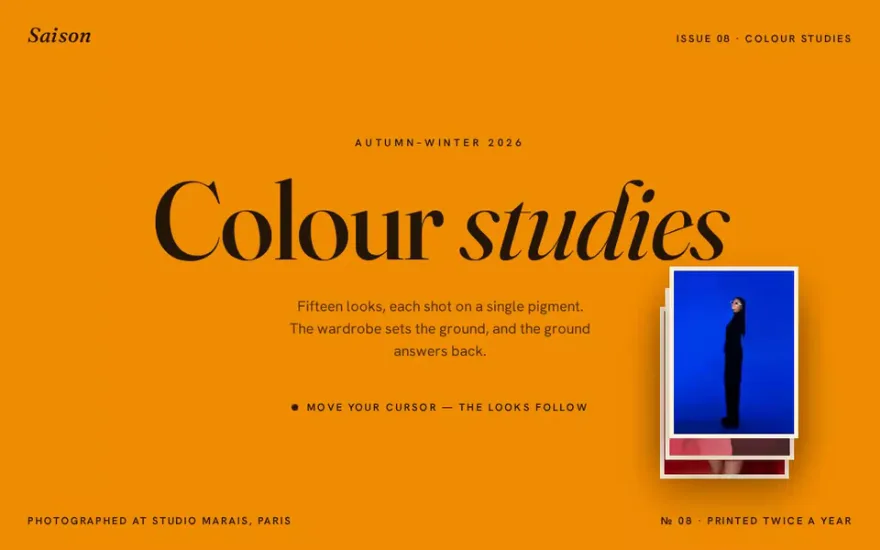
Premium promptThe live example above. Image tiles appear along the path of the mouse, and when the pointer rests for a moment the whole batch drops away together with a quick staggered fall.
A mouse image trail drops images along the path of the cursor: every time the pointer has travelled a set distance, the next image from a list appears at its position, animates in, and fades out a moment later. The trail is made of ordinary img elements positioned with transforms, and GSAP handles the enter and exit animation of each one. The two ideas that make it work are a distance threshold, so images appear at a steady spacing whatever the mouse speed, and a pool of elements that is reused instead of creating a new image on every move.
When to spawn. Spawning on every pointermove floods the screen with images when the mouse is fast and leaves gaps when it is slow. Measuring the distance since the last image and spawning only past a threshold, typically 60 to 120 pixels, gives an even trail. Some designs also spawn on a timer while the mouse is still, so the effect never stops completely.
How each image lives. An image appears (scale up, a clip-path opening, a small rotation), stays for a beat, and leaves (fade, scale down, a drop). Doing both in one short timeline per image keeps the logic simple. The alternative is the batch approach: images stay until the pointer stops, then all leave together with a stagger, which reads as a deliberate gesture.
Stacking. The newest image must be on top. Increment a counter and give each spawned image the next z-index, or the trail looks shuffled when images overlap.
Images are created once and reused in a loop. Each one appears at the cursor, scales up, then fades away.
import gsap from "gsap";

const sources = ["/img/1.jpg", "/img/2.jpg", "/img/3.jpg", "/img/4.jpg", "/img/5.jpg", "/img/6.jpg"];
const pool = sources.map((src) => {
  const img = document.createElement("img");
  img.src = src;
  img.alt = "";
  img.className = "trail-img";
  document.body.appendChild(img);
  return img;
});

let last = { x: 0, y: 0 };
let index = 0;
let layer = 1;

addEventListener("pointermove", (e) => {
  if (Math.hypot(e.clientX - last.x, e.clientY - last.y) < 90) return;
  last = { x: e.clientX, y: e.clientY };
  const img = pool[index++ % pool.length];
  gsap.killTweensOf(img);
  gsap.set(img, {
    x: e.clientX, y: e.clientY, xPercent: -50, yPercent: -50,
    zIndex: layer++, opacity: 1, scale: 0.6,
    rotation: gsap.utils.random(-10, 10),
  });
  gsap.timeline()
    .to(img, { scale: 1, duration: 0.4, ease: "power3.out" })
    .to(img, { opacity: 0, scale: 0.85, duration: 0.5, ease: "power2.in" }, 0.6);
});
.trail-img {
position: fixed;
top: 0;
left: 0;
width: 180px;
pointer-events: none;
opacity: 0;
}killTweensOf matters when the pool is small: an image can be called back before its previous exit has finished, and without it two timelines would fight over the same element.
Pool size. If the pool is smaller than the number of images visible at once, images jump from the end of the trail to the front while still on screen. Make the pool at least as large as the trail's lifetime divided by the spawn interval, or simply use a few more images than you think.
Loading. An image that has not loaded appears as an empty box at the cursor. Preload the whole set before enabling the effect, and keep the files small: they are shown at a couple of hundred pixels wide, so large originals only waste bandwidth.
Scope. A trail over the whole page gets in the way of reading and clicking. Limit it to a hero or a section by listening on that element, and hide the trail when the pointer leaves it. Keep pointer-events: none on the images so they never block links underneath.
Touch screens. There is no hover on phones, and a trail that follows a scrolling finger feels broken. Detect a fine pointer with matchMedia("(pointer: fine)") and switch the effect off, or replace it with a tap that spawns a single image.
Reduced motion and meaning. The images are decoration, so empty alt text is correct. Turn the effect off for prefers-reduced-motion, and do not rely on the trail to show content the visitor needs.
Moving and scaling fixed elements with transforms is cheap, and a pool of ten images costs almost nothing. Performance only suffers when images are large or when each move spawns new DOM nodes; reuse is the fix for both. If you add clip-path or blur to the entrance, test on a modest laptop, since those repaint on every frame.
Each one has a live demo and a validated AI prompt that rebuilds it in your project.
The live example above. Image tiles appear along the path of the mouse, and when the pointer rests for a moment the whole batch drops away together with a quick staggered fall.
No GSAP: each photo pops up at the cursor with a random tilt through a CSS transition and collapses again after well under a second.
Each image opens through ten horizontal strips that part from the middle, slides towards the pointer and closes the same way.
Free prompt. A trail without images: seven coloured SVG lines follow the cursor like a ribbon, each with a tail of a different length.
The cursor carries light instead of pictures: a dark mask opens a round spotlight around the pointer while a small animated flame follows it.
The snippet above is the bare idea. Mouse Image Trail is the finished, designed version, and its prompt gives Claude Code, Cursor or any AI coding agent the exact structure, timing and easing to rebuild it in your project. This is how it starts:
# Mouse Image Trail — cursor spawns image tiles that drop-and-fade on pause
## Goal
Build a full-viewport interactive canvas where **moving the mouse spawns image tiles at the cursor**, leaving a trail of stacked photos across the screen. The tiles keep piling up while the pointer is moving; **the instant the pointer pauses (~100 ms of no movement) GSAP animates the entire batch straight down off-screen** with a staggered scale-down + fade, then removes them. A centered uppercase headline sits behind the trail. The star effect is the `gsap.to(".item", …)` staggered drop (`y: 1000`, `scale: 0.5`, `opacity: 0`) fired on pointer-idle.
## Tech
Vanilla HTML/CSS/JS with ES module imports, in a fresh Vite + npm project. Install and import from npm:
- **`gsap`** (3.x) — the only dependency.
```js
import gsap from "gsap";
```
**No GSAP plugins** (no ScrollTrigger, SplitText, CustomEase), no Lenis, no Three.js, no canvas/WebGL. All logic runs inside a single `DOMContentLoaded` listener. Ship exactly three files: `index.html`, `styles.css`, `script.js`.
## Layout / HTML
A minimal document: one empty `.items` layer (JS injects tiles into it) and one headline `<h1>`. Class names are load-bearing — the JS queries `.items` and animates `.item`; the CSS positions both.
…
Premium prompt
Unlock this prompt, and every other one
From $99/year, or $139 once for lifetime access. Commercial license included.
See pricing Or start with the free set Already bought? Sign in
Yes. CSS transitions on transform and opacity, triggered by toggling a class, are enough for a basic trail. GSAP makes it easier to sequence the enter and exit, to interrupt an image that is called back early and to stagger a batch exit.
Instead of placing each image directly at the pointer, tween it from the previous spawn position to the current one, or lerp a smoothed pointer every frame and spawn images at that point.
Usually because the images use top and left with page coordinates while the event gives viewport coordinates. Use position: fixed with clientX and clientY, or absolute with pageX and pageY, consistently.
Six to fifteen is common. Fewer and the repetition shows; more mostly adds loading time, since only a handful are visible at once.