RADGA Horizontal Scroll Animation
Free promptThe live example above, with a free prompt. A pinned strip of slides moves sideways as you scroll down, the images drift against the movement and each title rises in when its slide arrives.
A horizontal scroll section pins a block of the page and moves its content sideways while the reader keeps scrolling down. With GSAP it takes one tween and one ScrollTrigger: the trigger pins the section and scrubs the tween, and the tween moves a long horizontal track by exactly the amount it overflows the screen. When the track has reached its end, the pin releases and the page continues scrolling normally.
How far to move. The track should travel its full width minus the width of the viewport, no more and no less. Computing that distance from the real elements, and recomputing it when the window changes size, is what separates a horizontal scroll that ends exactly on the last slide from one that stops short or overshoots into empty space.
How long the pin lasts. The scroll distance the reader spends inside the section is the end of the trigger. Matching it to the horizontal distance makes one pixel of vertical scroll move the track one pixel, which feels natural. Making it longer slows the section down, which suits a few large slides.
What else moves. Once the main movement works, the craft is in the secondary motion: images that shift slightly against the track for parallax, titles that reveal when their slide is centred, a progress bar. GSAP's containerAnimation lets ScrollTriggers inside the track fire based on horizontal position, as if the slides were scrolling into view normally.
A section containing a flex track of slides. The track moves left by its overflow while the section is pinned.
import gsap from "gsap";
import { ScrollTrigger } from "gsap/ScrollTrigger";

gsap.registerPlugin(ScrollTrigger);

const section = document.querySelector(".horizontal");
const track = section.querySelector(".track");
const distance = () => track.scrollWidth - window.innerWidth;

gsap.to(track, {
  x: () => -distance(),
  ease: "none",
  scrollTrigger: {
    trigger: section,
    start: "top top",
    end: () => "+=" + distance(),
    pin: true,
    scrub: 1,
    invalidateOnRefresh: true,
  },
});
.horizontal { overflow: hidden; }
.track { display: flex; width: max-content; }
.track > * { flex: 0 0 80vw; height: 100vh; }The function values matter: x and end are recomputed on every refresh because of invalidateOnRefresh, so the section stays correct after a resize or a rotation. scrub: 1 adds a second of smoothing; use true for a strict one to one link.
Triggers inside the track. A normal ScrollTrigger on a slide does not know the slide is moving sideways, so it fires at the wrong time. Store the main tween in a variable and pass it as containerAnimation to the triggers of the slides, with horizontal start values like "left center". The main tween must use ease: "none" for this to work.
Content after the section. The pin adds vertical space equal to the scroll distance, and anything below is pushed down by that amount. If other ScrollTriggers on the page are created before this one, they measured the page without that space. Create triggers in page order, or call ScrollTrigger.refresh() after all of them exist.
Touch devices. On phones, a horizontal section driven by vertical swipes is surprising and fights with the address bar resizing the viewport. A common choice is to keep the pin on desktop only, using gsap.matchMedia(), and let the track scroll natively sideways with scroll snapping on small screens.
Keyboard and accessibility. Tabbing into a slide that is off screen does not scroll the page to it. Keep focusable elements reachable, or move the scroll position when a slide receives focus. And make sure the slides make sense read top to bottom, which is how a screen reader will meet them.
A single transformed track is cheap even with many slides. What adds cost is heavy content inside it: dozens of large images decoding at once, videos playing off screen, or filters. Lazy load images that sit far along the track and pause videos that are not visible.
Each one has a live demo and a validated AI prompt that rebuilds it in your project.
The live example above, with a free prompt. A pinned strip of slides moves sideways as you scroll down, the images drift against the movement and each title rises in when its slide arrives.
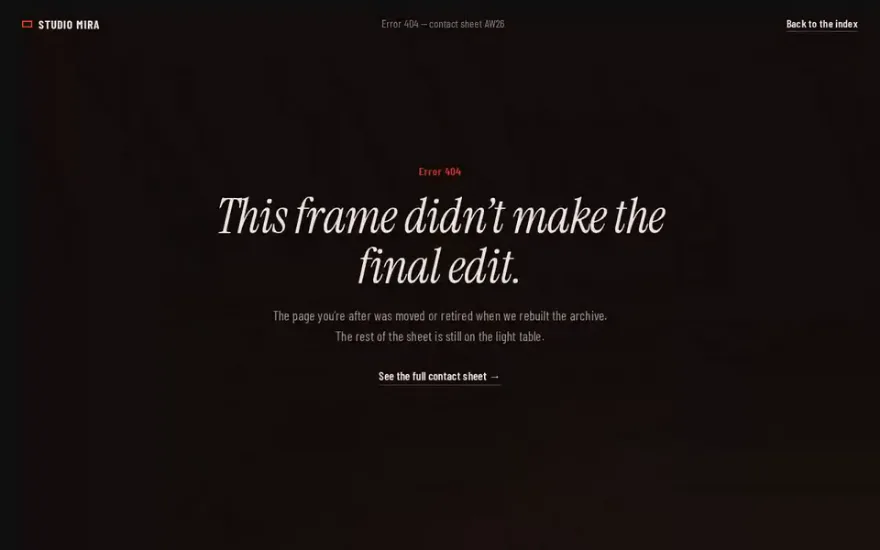
A 404 page built on the same idea: a giant headline crosses the screen sideways while four image cards drift and rotate at their own speeds.
Pinned like a horizontal scroll but stepped like a carousel: the scroll drives clip-path wipes from one full screen project to the next.
The sideways movement happens in WebGL: a warped plane carries a filmstrip of projects while letters travel along curves above it.
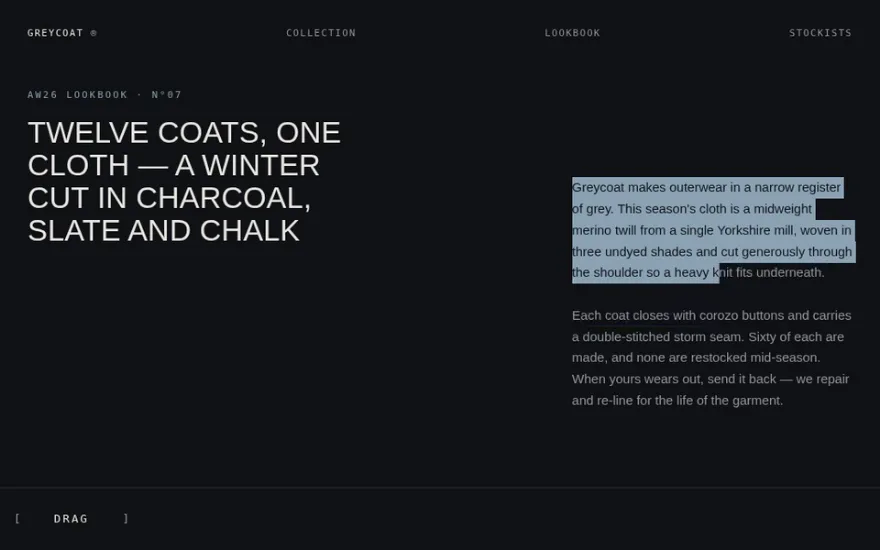
No scroll hijack at all. A wide editorial track is panned with a draggable scrubber at the bottom of the screen, with eased momentum.
Endless instead of pinned: wheel and touch input move a looping strip of cloned sections, with a counter tracking the position.
The snippet above is the bare idea. RADGA Horizontal Scroll Animation is the finished, designed version, and its prompt is free: paste it into Claude Code, Cursor or any AI coding agent and it rebuilds the effect in your project with the exact structure, timing and easing.
Pin a section with ScrollTrigger and scrub a tween that moves its inner track left by the track width minus the viewport width, with the trigger's end set to that same distance.
The distance was measured before images or fonts finished loading, or with a fixed number. Use function values with invalidateOnRefresh: true, and give images dimensions so the track width is known early.
An option that tells a ScrollTrigger to measure its position along a horizontal tween instead of the page scroll. It is how you trigger animations on individual slides inside a horizontal scroll section.
You can make a section that scrolls sideways natively with overflow-x: auto and scroll snapping. Converting vertical scroll into horizontal movement while the page is pinned needs JavaScript, or CSS scroll driven animations in browsers that support them.